Notis & Content Studio
Notis AI Panel and Content Studio Formats
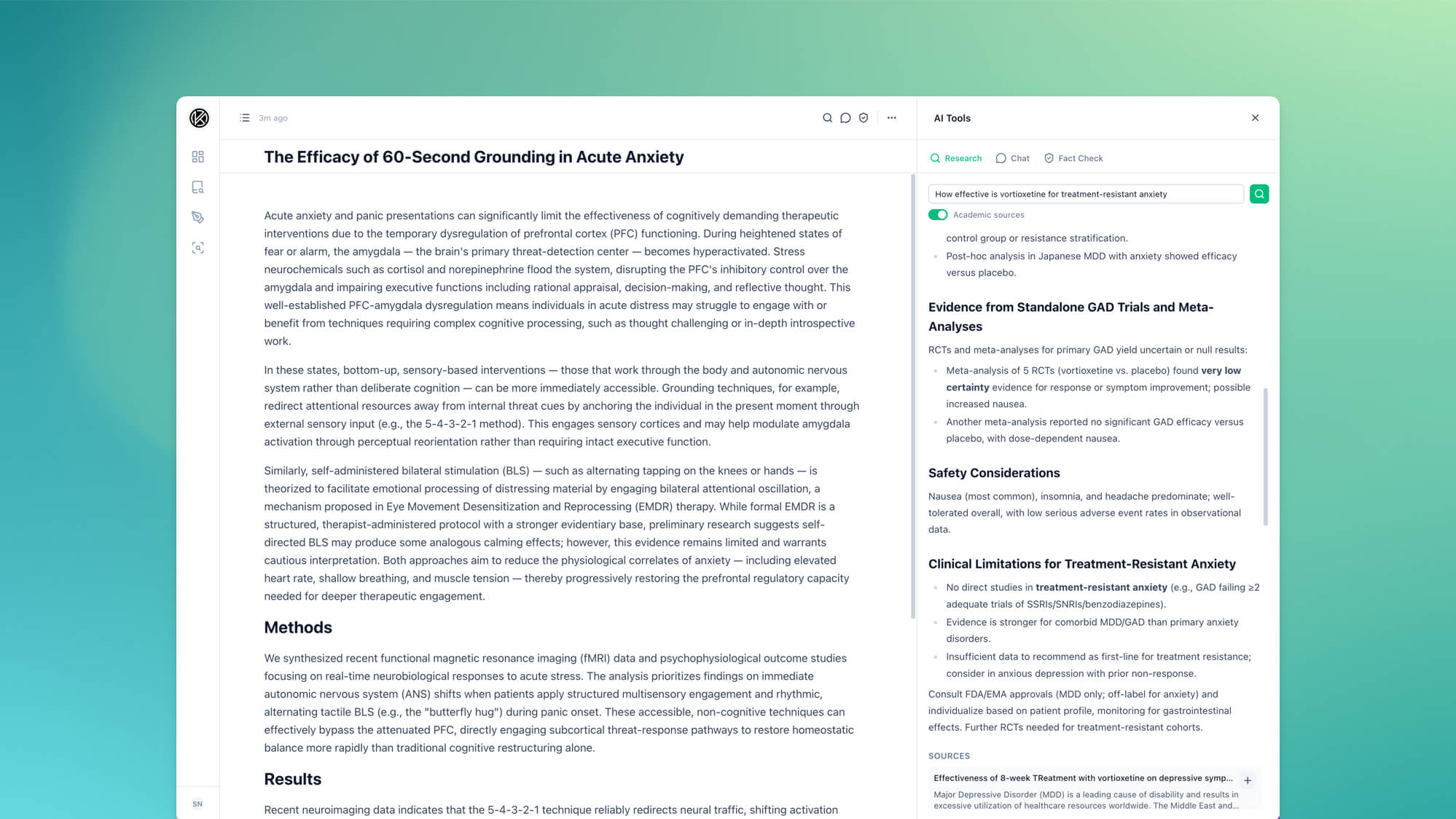
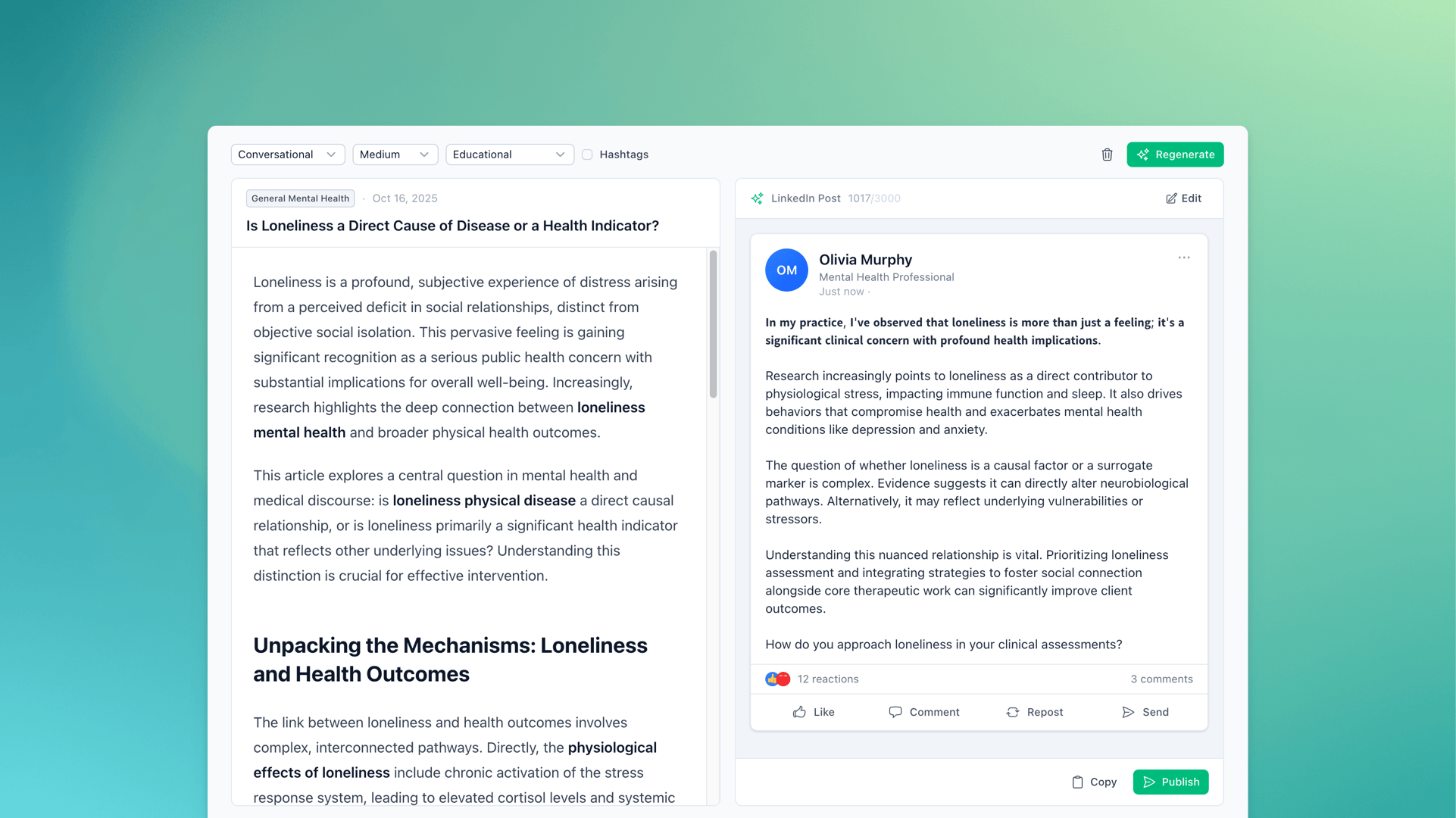
The Notis AI panel now works directly on your note. Content Studio writes five formats, and evidence-backed drafts show their sources and evidence strength.
Notis:
- Ask About a Selection: Select text in a note and choose Ask to send it to Chat with your question.
- Add Results to Your Note: Insert a Chat reply or research answer at your cursor, in place of the selected text, or at the end of the note. Research answers keep their numbered source links.
- Research From the Editor: Research selected text from the editor toolbar. Your last 10 searches for each note are saved, and you can limit results to the past year, month, week, or day.
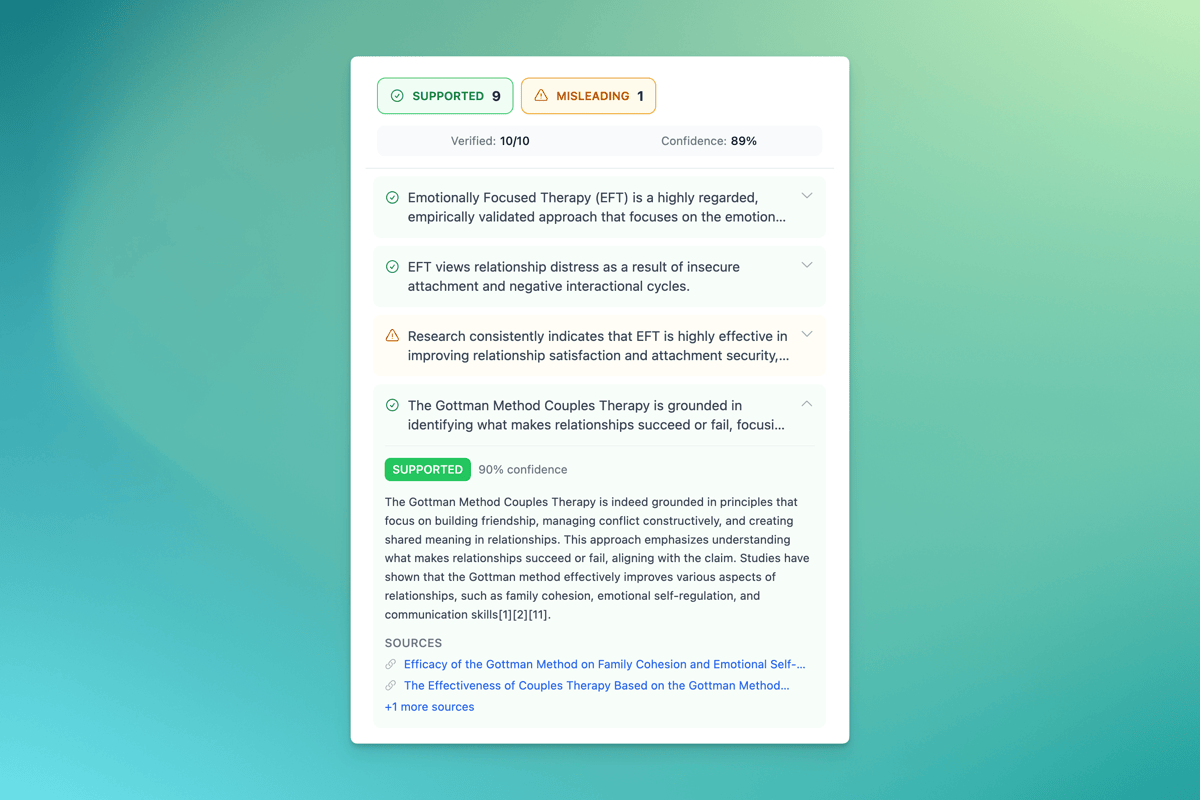
- Find and Fix Flagged Claims: Find in note highlights a flagged claim. Fix drafts a rewrite you can review and swap in.
- Keyboard Shortcut: Press ⌘J (Mac) or Ctrl+J (Windows) to open or close the AI panel.
Content Studio:
- Formats: Write a blog post, FAQ page, client handout, newsletter, or service page. Each has its own structure.
- Evidence-Backed Drafts: Drafts cite their sources and end with a linked References list. Each claim is worded to match its evidence, and a label grades the evidence from Strong to Minimal.
- Instructions Checklist: Evidence-backed drafts show which of your instructions they met and which need attention.
- Placeholders for Practice Details: When a draft needs a detail you didn't give, such as fees, it writes fees and lists it under "Fill in before publishing".
- Reuse Brief: Load a recent draft's settings back into the form.
Learn more about generating content →
Also in This Update:
- Notis: Fact Check warns when your note has changed since the last check, note search covers the full text of every note, and the editor shows a word count.
- Notis: Chats, research, and fact checks stay with the note they were run for, even if you switch notes mid-request. The text-alignment buttons are gone because alignment wasn't saved.
- Content Studio: Standard and Premium are now Quick draft and Evidence-backed. The form is shorter, with new audience and tone options, and you can stop a generation while it runs.
- Credits: Your usage page shows whole credits and where they went by step and tool. A stopped or failed generation tells you what it used. Requests you run at the same time are now counted correctly.

Sina Nedadahandeh
Co-Founder / Head of Product